

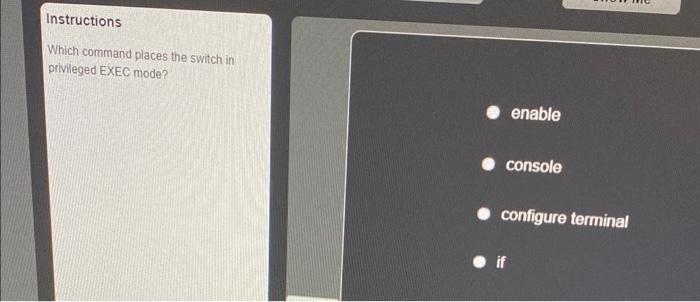
Networking is a fundamental aspect of modern computing, and understanding the commands and modes of network devices is crucial for anyone aspiring to work in the IT field. One of the foundational elements of networking involves working with switches, which play a vital role in connecting devices on a local area network (LAN). This article will delve into the specifics of command modes on switches, particularly focusing on the command that transitions a switch from User EXEC Mode to Privileged EXEC Mode, a critical step for network configuration and troubleshooting.
Before we explore the command itself, it is essential to comprehend the architecture of the command line interface (CLI) of networking devices. The CLI serves as the primary interaction point between the user and the device. It is structured into several distinct modes, each enabling a different subset of commands that are essential for managing and configuring the device. The two primary modes discussed here are User EXEC Mode and Privileged EXEC Mode.
User EXEC Mode is the most basic mode of operation for a networking device. In this mode, users can execute limited commands that primarily offer information regarding device status and configuration. This level of access is typically reserved for monitoring purposes, as it does not allow for any configuration changes. When users first connect to a switch, they are placed in this mode, where they can enter commands such as show ip interface brief to display status information about the device’s interfaces.
To enter Privileged EXEC Mode, which provides full access to the device’s configuration capabilities, users must execute a specific command. This transition is achieved through the command enable. By typing this command, users can elevate their access rights and gain the ability to execute a broader array of commands that permit extensive configurations and troubleshooting capabilities.
Transitioning into Privileged EXEC Mode represents a significant leap in functionality. It is within this mode that advanced commands, such as configure terminal or show running-config, become available. These commands allow users to modify configurations and examine the current operational parameters of the switch.
After entering the enable command, users are typically prompted to enter a password if one has been set. This security measure ensures that only authorized personnel can access the lower levels of configuration. Therefore, understanding command security and being aware of password management practices are critically important when working within the command line interface.
When dealing with network devices, it is prudent to discuss best practices associated with command access. For instance, following commands should always be executed from Privileged EXEC Mode:
configure terminal– Used to enter global configuration mode for modifying device configurations.show running-config– Displays the current configuration file that is being executed by the switch.reload– Restarts the device to apply configuration changes or recover from errors.
Understanding the implications of Privileged EXEC Mode also involves recognizing its vulnerability. Since this mode allows for comprehensive configuration changes, unauthorized access can lead to significant security risks. Administrators should prioritize securing access credentials, utilizing strong passwords, and, if possible, implementing role-based access control (RBAC) to manage privileges effectively.
In a typical switch management scenario, the initial steps might involve connecting to the switch via console or SSH (Secure Shell). After successfully gaining connection, the user will enter User EXEC Mode, initially presenting only the basic functionalities. Typing enable allows the user to progress to Privileged EXEC Mode, thus elevating their capabilities. At this stage, the user has fortified their access to extensive command functionalities, enabling them to configure the device as per network requirements.
As organizations increasingly adopt network devices, understanding these command transitions is crucial for network engineers. Being adept in navigating from User EXEC Mode to Privileged EXEC Mode not only enhances operational efficiency but also fosters responsible management of device configurations. Key tasks performed in this state include modifying VLAN configurations, setting up trunk links, and managing routing protocols.
Moreover, ongoing education and hands-on practice with these commands are indispensable in solidifying a robust understanding of networking fundamentals. With networking technologies continuously evolving, it is imperative for IT professionals to stay abreast of the latest best practices and command applications used in various network scenarios.
Lastly, resourcefulness within the command line interface is vital. Network engineers often find themselves in scenarios where they must troubleshoot connection issues, add or remove configurations, or assess device performance metrics. Grasping the nuances of command syntax and mode transitions not only facilitates these processes but also empowers professionals to resolve issues swiftly and efficiently.
In conclusion, knowing which command places the switch in Privileged EXEC Mode is more than a mere technicality; it is a pivotal skill for effective network management. The command enable is a gateway to deeper engagement with network device configurations, granting users the power to manipulate settings essential for optimal network performance. Emphasizing secure access practices alongside a proficient understanding of command functionalities is crucial for the modern network administrator.

Leave a comment